Peregrine field notes
What an AI receptionist actually does for a trade business (and what it costs)
A practical walkthrough of what an AI receptionist does for plumbers, electricians and HVAC businesses, including current pricing, scope and privacy settings.
TL;DR
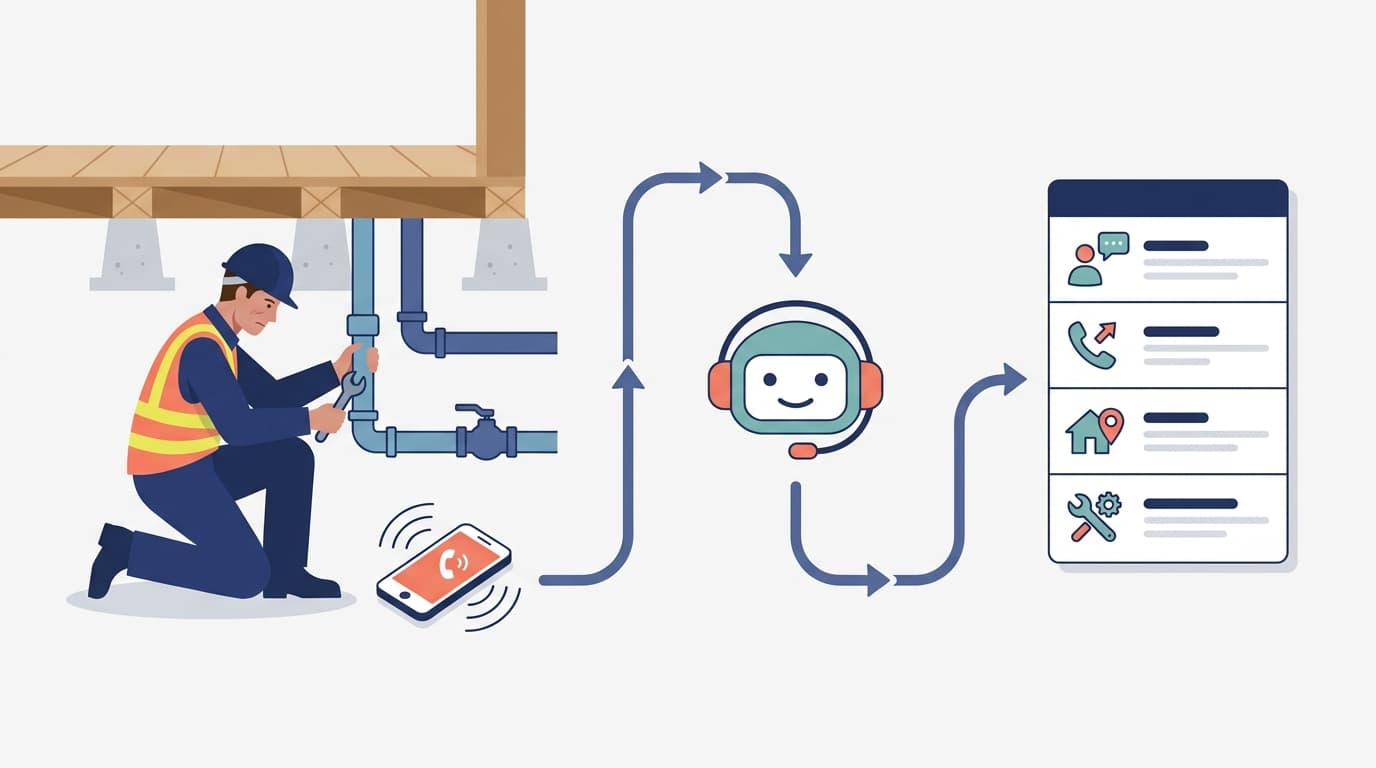
An AI receptionist for a trade business answers the phone when you are under a house, on a roof, driving, or with another customer. It tells the caller it is an AI, captures the message and callback number, confirms details by read-back, and sends you a labelled email brief. You still assess the job, decide what to do, and call the customer back.
For Peregrine's current service, the base package is a done-for-you answering and message-capture service. Booking, live transfer, CRM or Notion write-back, SMS alerts, extra lines and multi-location coverage are add-ons, not default inclusions. [1]
What does an AI receptionist do for a small trade business?
It handles the first few minutes of a phone enquiry so the opportunity does not disappear into voicemail. A typical call follows this sequence:
- The caller rings your existing number. Calls can be routed to the AI when you do not answer, or configured for always-on answering.
- The AI identifies itself. The caller knows they are speaking with an automated receptionist, not a person pretending to be one.
- It asks a short set of useful questions. Depending on the trade, that might include the caller's name, callback number, suburb, job type, urgency and a short description of the problem.
- It confirms the callback number. If a detail is unclear, the system asks again or marks it as unconfirmed rather than guessing.
- You receive a written brief. The email is labelled so you can see whether it is a new enquiry, existing client, supplier, sales call or wrong number.
- You take over. You assess the work, decide whether it fits, quote or book it, and call the customer back.
That is the useful boundary. The AI receptionist captures and organises the enquiry. It does not replace your trade judgement.
What does the caller experience?
Here is an illustrative walkthrough, not a client case study or a promise of a particular result.
A homeowner calls a plumber while the plumber is under a house. The receptionist answers and says it is an AI. It asks what the caller needs, captures the suburb and callback number, and checks the number by reading it back. The caller explains that a hot-water system is leaking. The AI records the message, but it does not promise an arrival time, diagnose the fault, quote the job or claim to provide emergency response.
A brief then arrives in the plumber's inbox with the caller's details and the information captured. The plumber decides whether and when to call back. If the caller's number or job detail was unclear, that uncertainty is visible in the brief.
The same pattern changes slightly by trade:
| Trade | The moment the call is likely to be missed | Useful intake details |
|---|---|---|
| Plumber | Under a house, up a ladder or working on a hot-water system | Suburb, issue, urgency, property type and callback number |
| Electrician | In a roof space or midway through fault-finding | Fault type, suburb, urgency, access details and callback number |
| HVAC business | On a roof or in the middle of an installation | Heating or cooling issue, suburb, system type and preferred callback time |
These examples reflect the trade-specific service pages, which describe the same core flow of answering, capturing the message, confirming the number and sending a labelled brief. [2] [3] [4]
Additional (optional) services an AI receptionist can perform
A clear scope matters more than a clever demo. Beyond the base answer, capture and callback flow, an AI receptionist can be scoped to perform or support:
- ask more structured triage questions to help you prepare a quote — without diagnosing the fault or quoting it
- support booking and arrival-time workflows where those have been explicitly configured — without making an unapproved promise
- transfer the caller to you or your team when live transfer is part of the agreed scope
- book appointments during the call where calendar access and booking rules are included
- write the brief into your CRM, job-management system or Notion where that integration is part of the scope
- send SMS alerts for new briefs where that notification channel is included
- cover extra phone lines or multiple locations where that coverage is included
These optional capabilities can be scoped as add-ons where they genuinely reduce admin. For many sole traders, starting with answer, capture and callback is safer than adding a complicated call flow before the basics work.
How much does an AI receptionist cost for tradies?
Peregrine's current published pricing is month to month, includes GST and has no lock-in. The relevant cost is more than the monthly headline, so budget for setup, fair-use limits, overages, add-ons and any transparent third-party phone or call-minute costs. [1]
| Plan | Setup | Monthly service | Included calls | Additional calls |
|---|---|---|---|---|
| Tier 1 for sole traders and small teams | $199 incl. GST | $199 incl. GST | 100 per month, fair use | $0.50 per call incl. GST |
| Tier 2 for busier offices and teams | $399 incl. GST | $299 incl. GST | 250 per month, fair use | $0.40 per call incl. GST |
| Bespoke | Price on application | Price on application | For consistently higher volumes | Scoped with you |
The base subscription is only part of the decision. Ask these questions before comparing an answering service for tradies:
- How many calls do we receive in a quiet month and a busy month?
- What happens when we exceed the fair-use allowance?
- Are phone numbers, call minutes or other third-party costs passed through separately?
- Do we need booking, transfer, CRM write-back or SMS, or would an email brief be enough?
- Who owns the callback, and how will we know if it has not happened?
Use the automation ROI calculator to model the value using your own call volume, average job value and callback rate. Do not assume every captured call becomes a job. The sensible test is whether the system saves admin and helps you respond consistently to the enquiries that fit your business.
What questions do tradies usually ask before switching it on?
Will it quote the job or promise an arrival time? No. The base service captures the enquiry and sends you the brief. You still assess the work, quote it and agree the next step with the customer.
Can it book appointments or transfer calls? Not by default. Booking and live transfer are separately scoped add-ons, alongside CRM or Notion write-back and SMS alerts.
Does it replace the callback? No. It makes the callback more informed by confirming the caller's number and sending you the job details. A person still decides whether and when to call back.
Does it record every call? No. The current default is no call recordings. Written transcripts and briefs have defined retention settings, which should be checked against your own privacy requirements.
What if it cannot understand a detail? It should ask the caller to repeat it or mark the detail as unconfirmed. It should not invent an address, phone number or job detail.
What happens to caller information?
Phone enquiries contain personal information. The OAIC gives the example that a recorded voice may be personal information where the caller is reasonably identifiable, so call handling should be designed with privacy in mind. [5]
Peregrine's current service posture is no call recordings by default, written transcripts kept for 14 days, briefs deleted after 12 months, a spoken AI disclosure on every call, and a signed Privacy Configuration Statement for each deployment. Treat those as the current service settings, not as a substitute for checking what is suitable for your industry and your own privacy obligations. [1]
If you enable recording or collect sensitive information, get specific advice for your circumstances. The OAIC says whether people are made aware that an AI product is collecting their information, and whether consent is given, are relevant to whether collection is lawful and fair. [6]
Is an AI receptionist worth it for a sole trader?
It can be, if the problem is missed access to the phone rather than a lack of demand. It is usually a good fit when:
- you spend much of the day on tools, on the road or with customers
- callers often reach voicemail during working hours or after hours
- you want a consistent message brief rather than another app to monitor
- you can commit to calling suitable enquiries back
- you want a done-for-you setup rather than another system to configure
It is not a magic fix if nobody owns the callback, your service area is unclear, or the phone flow asks for more information than you can act on. Start with a short intake, a clear fallback and one person responsible for the next step.
For the broader context, see our practical guide to small business automation in Australia. For the product details and current inclusions, read the AI receptionist service page. You can also compare the plumber-specific AI receptionist workflow, electrician-specific workflow or HVAC-specific workflow.
If you want to hear the live demo, use the service page. If you want help deciding where call capture fits in your existing tools, book an Automation Audit. We design and manage the automation so you can get back to the job, not another software project.
Matt Sullivan | Founder - Peregrine Automations.