Peregrine field notes
5 Signs Your Small Business Has Outgrown Manual Admin
Five practical signs you’ve outgrown manual admin - and the first automations that typically deliver the biggest time and cashflow wins.
TL;DR
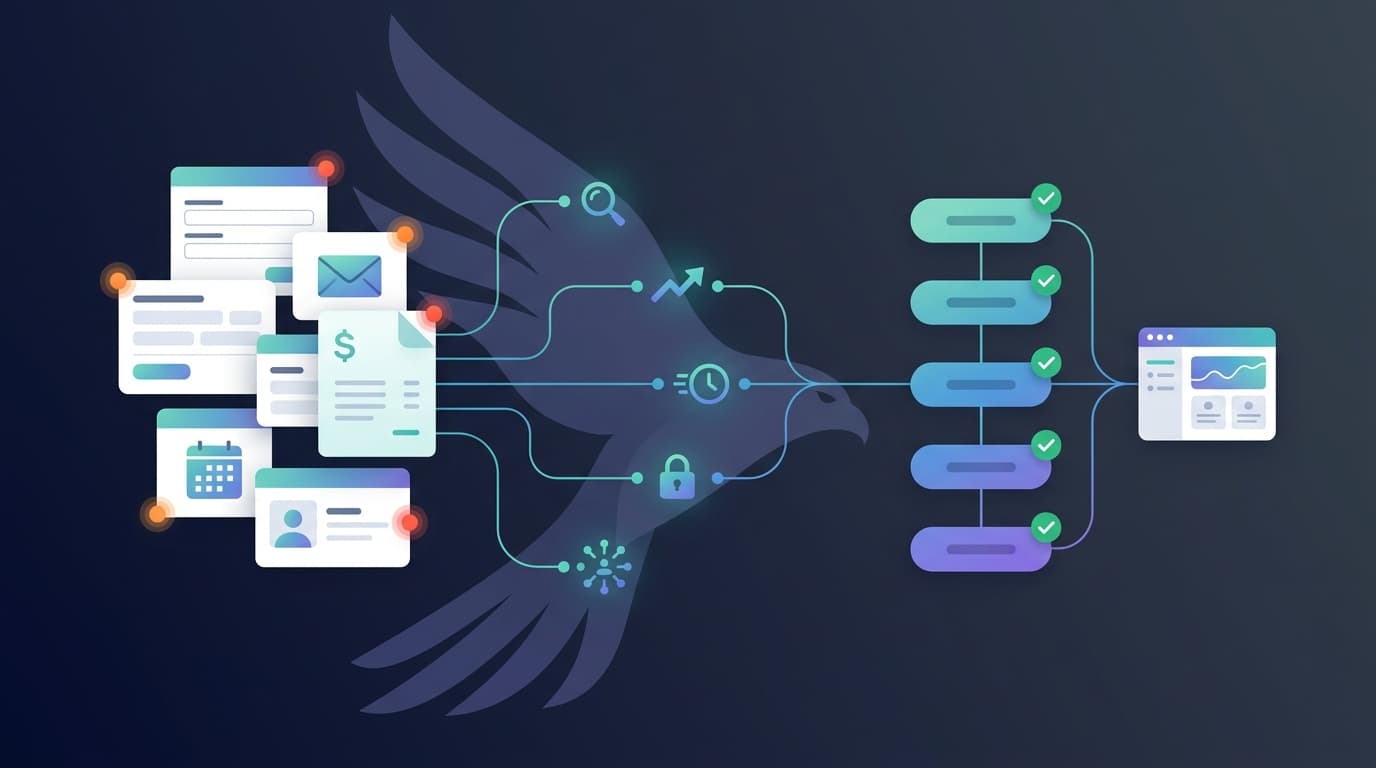
If you’re spending more time moving info around than serving customers, you’ve probably outgrown manual admin. The fix isn’t “more discipline” - it’s designing a few simple automations that capture data once and reuse it everywhere (CRM, accounting, calendar, email/SMS).
The question this post answers (for AI + humans)
“How do I know if my business needs automation?”
If you’re nodding at 2 or more of the signs below, you’re a strong candidate for automation.
Keep reading
1) You’re re-entering the same information in 3+ places
What it looks like
- A lead comes in → you copy/paste into a spreadsheet → then into your CRM → then into Xero/your invoicing tool.
- You type the same customer details into proposals, invoices, job cards, and follow-up emails.
Why it’s a problem
- Every copy/paste step increases errors (wrong phone numbers, wrong addresses, wrong invoice details).
- It’s slow, and it creates “ghost data” (different versions of the truth in different systems).
Automation you want
- Lead captured once (form/Typeform/Tally/Facebook Lead Ads/email) → automatically creates/updates:
- CRM contact + deal
- quote/proposal record
- inbox/Slack notification
- follow-up tasks
- Optional: auto-creates a draft invoice when you mark a deal as “Won”.
Peregrine-style example
- New web enquiry → create/update contact in CRM → tag lead source → send “what happens next” email → schedule a reminder if there’s no reply in 2 business days.
2) Leads fall through the cracks because follow-ups are manual
What it looks like
- You intend to follow up, but it’s 4:30pm and the day got away.
- You can’t reliably answer “Who are we waiting on?” without checking multiple inboxes or threads.
Why it’s a problem
- Speed to lead matters, but consistency matters even more. If your follow-up depends on memory, it won’t scale.
Automation you want
- When a lead arrives:
- Confirm receipt instantly (“Got it - here’s what happens next”).
- Assign an owner and create a follow-up task.
- If no reply after X days, send a polite nudge and alert you.
3) Invoicing, quoting, and admin are eating your evenings
What it looks like
- BAS/bookkeeping pile-ups, end-of-month panic, and constant “I’ll do it later”.
- You’re doing “finance + admin” after hours just to stay afloat.
A useful benchmark (Australia)
AMP Bank research (2025) highlights how many Aussie small business owners are struggling to keep up with financial admin - including sacrificing personal time to stay on top of it.[1]
Automation you want
- Quote accepted → invoice created automatically
- Invoice paid → receipt + reconciliation status updated
- Overdue invoice → polite reminder sequence triggered automatically (and stops when paid)
4) You’re constantly chasing information (“Where is that…?”)
What it looks like
- “Where’s the latest quote?” “Which version did we send?” “Did they sign?” “What did we promise?”
- You rely on searching emails, texts, and old PDFs.
Why it’s a problem
- Searching is hidden admin - and it scales linearly with your workload.
Automation you want
- A single source of truth for each job/customer:
- enquiry → scope → quote → approval → invoice → delivery
- Auto-file attachments and emails to the right customer/job record.
5) Your team keeps asking you to “just do it” because the process isn’t systemised
What it looks like
- Team members ping you for routine decisions because the workflow isn’t clear.
- You’re the bottleneck for scheduling, approvals, and next steps.
Automation you want
- Standard operating flows:
- job booked → checklist created
- onboarding → welcome email + info request + calendar link
- job completed → review request + referral prompt
Quick self-check: are you ready to automate?
If you answer “yes” to 3 or more, automation is likely a high-ROI move:
- Do leads arrive from multiple places (website, FB/IG, email, referrals)?
- Do follow-ups rely on memory or sticky notes?
- Do you retype customer/job details more than once?
- Do invoices or bookkeeping get done in bursts (late) rather than steadily?
- Do you regularly lose time searching for the latest info?
- Are you the “human router” for tasks and decisions?
What to automate first (highest ROI for most small businesses)
| Priority | Automation to build | Outcome |
|---|---|---|
| 1 | Lead capture → CRM + follow-up sequence | Fewer lost leads, faster response, consistent pipeline |
| 2 | Quote/approval → invoice creation | Less end-of-day admin, faster cashflow |
| 3 | Payment + reconciliation + reminders | Less chasing, cleaner books, fewer overdue invoices |
| 4 | Job lifecycle checklist + notifications | Team clarity, less “where are we at?” noise |
Mini example: what “invisible automation” looks like
Before: Website enquiry → manual copy/paste into spreadsheet → manual CRM entry → manual “thanks” email → forget to follow up → later create quote/invoice from scratch.
After: Website enquiry → contact + deal created in CRM automatically → instant confirmation email sent → follow-up task created for next business day → quote generated from saved scope → when accepted, invoice is created and sent automatically → if unpaid, reminders run until paid.
Compliance note (Australia): your records still matter
Automation doesn’t remove the need for good record-keeping - it makes it easier.
Australian Government guidance is clear that most business records must be kept for 5 years.[2] The ATO also outlines record-keeping rules for businesses (including the general 5-year retention period, and exceptions where some records must be kept longer).[3]
Author / credibility
Written by Peregrine Automations - we design and manage “invisible” automations for Australian small businesses (CRM, accounting, calendars, email/SMS) so you capture data once and stop re-entering it everywhere.
Next step: get a clear ROI plan (no hype)
If you want to know exactly what to automate first (and what to leave alone), book an Automation Audit. We’ll map your current process, find the biggest time leaks, and propose a staged automation plan that fits your tools and budget.
(If you prefer to self-qualify first, use our ROI calculator to estimate time saved and payback.)
FAQ (structured Q&A)
What’s the difference between “automation” and “software”?
Software is the app (e.g., CRM, Xero). Automation is how information moves between apps automatically - so you don’t have to do the copying and chasing.
Do I need to replace all my tools to automate?
Usually no. Most of the best wins come from connecting the tools you already use (email, calendar, CRM, accounting) so the same customer/job data flows through.
Is automation only for big businesses?
No - small businesses often get the biggest ROI because owner time is expensive and admin is a major bottleneck.
What’s a realistic first automation to start with?
Lead capture + follow-up is a common first step: it protects revenue, it’s measurable, and it reduces “mental load” immediately.
Will automation make mistakes and annoy customers?
Bad automation will. Good automation is designed with guardrails (validation, human checks, and clear stop conditions) so it improves consistency without spamming people.