Peregrine field notes
The 'Invisible App': Why the Best Automation Is the One Your Team Never Notices
Invisible automation connects the tools you already use so admin disappears - no new logins, no double entry, just reliable follow-ups and handoffs.
What “invisible automation” actually means
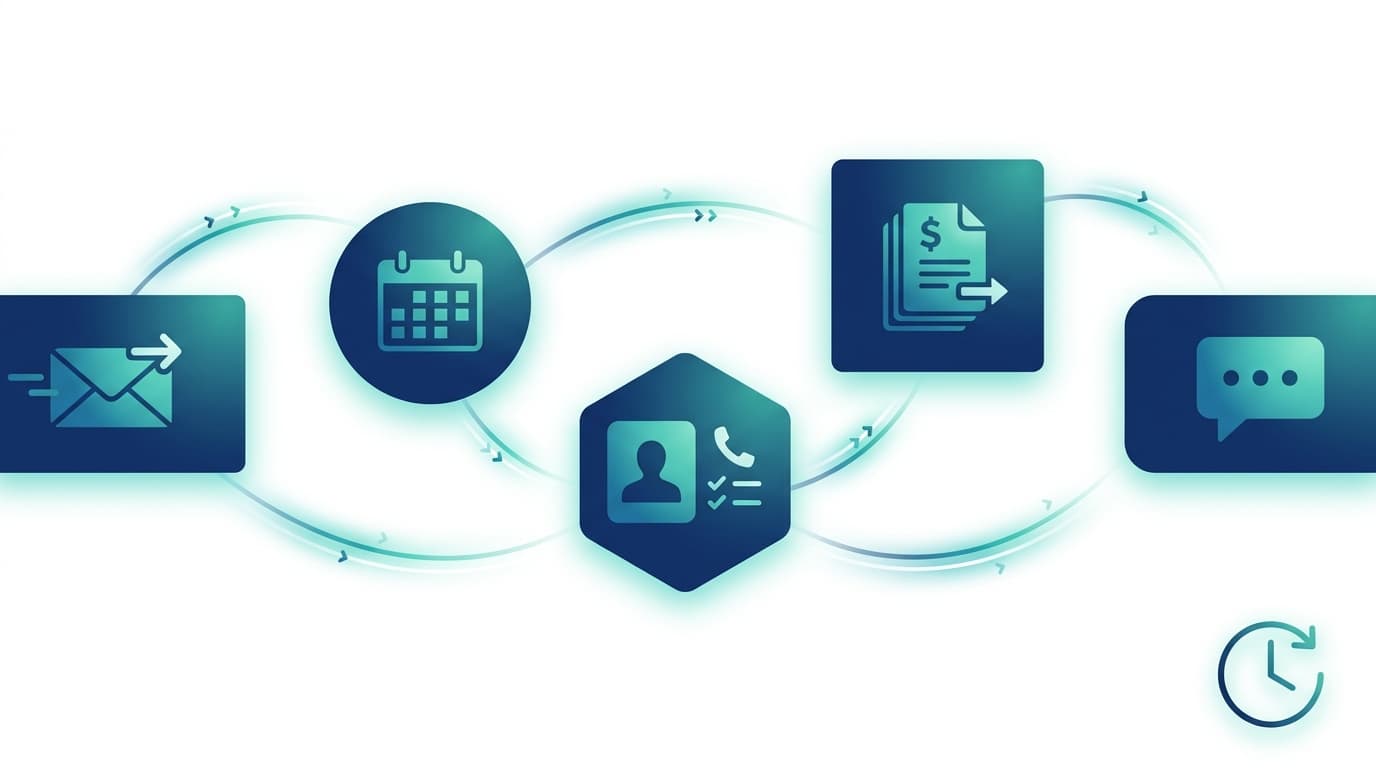
Invisible automation is when the work still happens, but the manual admin disappears:
- A lead comes in → the right person is notified → the CRM is updated → a follow-up is scheduled.
- A job is marked complete → the invoice is created and sent → the payment status updates → the books reconcile.
- A form is submitted → the docs are filed → the next steps are assigned → the customer gets the right email/SMS.
No extra logins. No “please update the spreadsheet”. No reminders living in someone’s head.
Why “loud” automation fails (and why teams resist it)
Most automation projects don’t fail because the tech can’t do it - they fail because they change the way people work too much.
Common “loud automation” traps:
- New platforms, new processes: “Everyone needs to use this new system” (and adoption drops off after week 2).
- Extra steps disguised as efficiency: The tool adds clicks and admin - it just moves the work.
- Over-engineering: Automating the wrong thing first (instead of the high-volume, low-judgement work).
If your team has to think about the automation all day, it’s not really saving time - it’s creating a new kind of admin.
The invisible app approach: automate behind the tools your team already uses
The goal isn’t to replace everything with a shiny all-in-one system. For most Australian small businesses, the fastest wins come from connecting what’s already there:
- Email + calendar (enquiries, booking, reminders, follow-ups)
- CRM (pipelines, notes, tasks, contact records)
- Accounting (Xero/MYOB invoices, payments, reconciliations)
- Forms (website forms, Tally, Typeform, Jotform)
- Messaging (SMS/WhatsApp where it fits the workflow)
- Files (Drive/SharePoint folders that customers and staff already understand)
That’s why Peregrine Automations builds “invisible” systems: the automation runs in the background, and your team just sees a smoother day.
Practical examples of invisible automation for SMEs
Below are a few patterns we build regularly - they’re simple on the surface, but powerful once they’re reliable.
1) Lead capture → instant follow-up (without copy-paste)
Trigger: Website form, missed call, Facebook Lead Ad, or email enquiry.
Automation:
- Create/update the contact in your CRM
- Notify the right person (email/SMS/Slack - whatever you actually use)
- Send a personalised acknowledgment to the lead
- Schedule a follow-up task if nobody replies in 24 hours
Why it feels invisible: staff don’t “do” anything - the system routes and nudges automatically.
2) Quote sent → follow-up sequence (so revenue doesn’t leak)
Trigger: A quote/proposal is sent.
Automation:
- Set a follow-up schedule (e.g., day 2, day 5, day 10)
- Stop the sequence the moment the lead replies or accepts
- Update the pipeline stage automatically
3) Job marked complete → invoice + bookkeeping updates
Trigger: A job moves to “Done” in your job management tool or CRM.
Automation:
- Create an invoice in Xero, email it, and record it on the customer profile
- Update status when paid
- Notify you if it’s overdue (without you checking the ledger daily)
Zapier describes this kind of end-to-end billing workflow as a common automation example for businesses.[1]
4) Intake form → admin handoff (without “what do I do now?”)
Trigger: Customer fills out an onboarding form.
Automation:
- Create a folder + file naming structure
- Assign internal tasks (who needs to do what)
- Send the customer the next-step email
- Flag missing info and chase it automatically
FAQs
What is workflow automation?
Workflow automation is when a set of steps (usually repetitive admin) runs automatically based on a trigger - for example, “when a form is submitted, create a CRM record, notify the team, and send a confirmation email”.
What’s the best process to automate first?
Start with the work that is:
- High volume (happens constantly)
- Rule-based (clear if/then logic)
- Low judgement (doesn’t require human nuance)
- Painful (currently causes delays, mistakes, or missed follow-ups)
Is automation only for big companies?
No - small businesses often get the biggest upside because they have fewer people doing a lot of manual admin. The key is to automate around your current tools, not replace them.
Do we need to adopt new software to automate?
Not usually. In many cases, you can connect what you already use (email, calendar, CRM, Xero/MYOB) and remove the manual handoffs. The best implementations feel like nothing new was “rolled out”.
How to tell if your automation is actually working (quick checklist)
Sources
- IBM: workflow automation overview (definition + benefits): https://www.ibm.com/think/topics/workflow-automation
- ACMA (Australia): avoid sending spam (consent + records + inferred consent guidance): https://www.acma.gov.au/avoid-sending-spam
About the author
Written by Peregrine Automations - we design and run “invisible” automations for Australian small businesses, connecting the tools you already use so admin disappears (without forcing your team onto yet another platform).
Next step
If you’d like this built for your business, the fastest first step is a done-for-you Automation Audit - we map the bottlenecks, quantify the time saved, and propose a staged plan.
- Book an Automation Audit (via the contact page): https://www.peregrineautomations.com.au/contact
- Or run the ROI calculator and we’ll pressure-test the numbers together.